
HSB Explained: The Color Model Behind Every Game on This Site
Every game on this site — Toon Tone, Dialed GG, and Hued — uses the same three sliders: Hue, Saturation, and Brightness. If you've played a round and felt like the sliders weren't doing what you expected, that's not the game's fault. It's that HSB takes ten minutes to actually understand, and almost nobody bothers.
Here's the ten minutes.
Why HSB Exists When RGB Already Works
Screens think in RGB: red, green, blue, each from 0 to 255. That's how pixels are physically lit. The problem is RGB is unintuitive for humans. If I tell you "make this color a little less vivid," you don't know which of R, G, or B to nudge. You'd be guessing.
HSB (also called HSV, where V is "value") was designed to match how people actually describe color. It splits color into three independent perceptual dimensions, so when you want a color "a little more red" or "a little less saturated," you turn exactly one knob.
Hue: Where on the Wheel
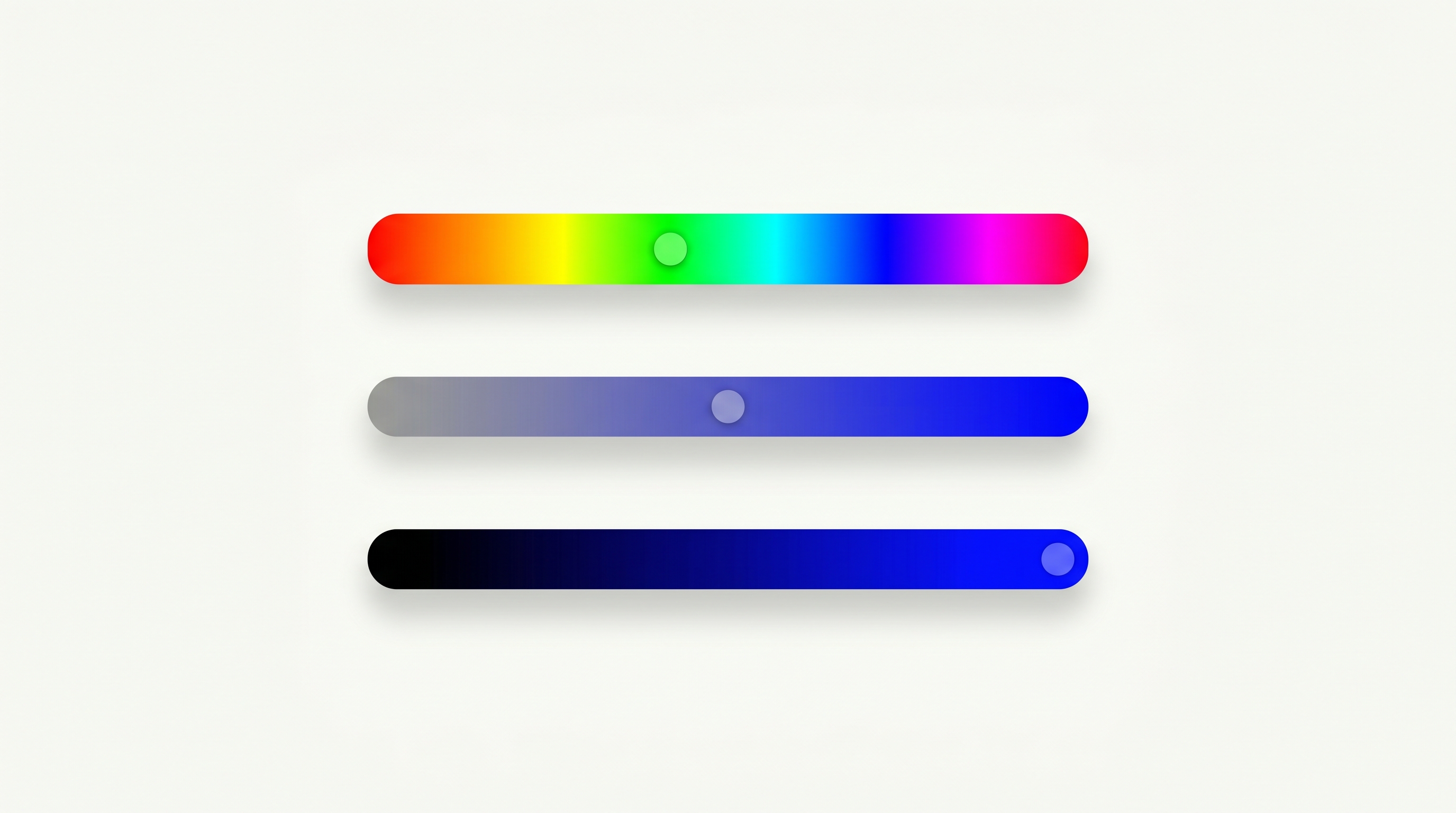
Hue is the basic identity of a color — red, orange, yellow, green, blue, purple. It's measured as an angle from 0° to 360° around a color wheel:
- 0° — red
- 60° — yellow
- 120° — green
- 180° — cyan
- 240° — blue
- 300° — magenta
- 360° — back to red
Hue is what people think they mean when they say "color." It's the easiest dimension to get roughly right and the hardest to get exactly right — because the difference between a 28° red and a 35° red is huge to a trained eye and invisible to most everyone else.
Saturation: How Vivid
Saturation measures how pure or vivid a color is, from 0% to 100%.
- 100% saturation is the most vivid version of that hue — pure, electric, fully colorful.
- 0% saturation is gray. Pure gray, regardless of hue.
The trap: most people think their guess is too saturated, when it's usually not saturated enough. Real-world objects (paint, fabric, fur) rarely hit anything close to 100%. Cartoon characters, on the other hand, often do — that's part of why they pop.
Brightness: How Light
Brightness is how light or dark the color is, from 0% (pure black) to 100% (full brightness).
This is the dimension people are usually best at — most of us can tell light from dark intuitively. But brightness interacts with saturation in subtle ways. Pushing brightness too high on a saturated color washes it out toward white. Pushing it too low collapses everything into black, regardless of hue or saturation.
Why HSB Is Hard to Guess Even When You "Know" the Color
Most people store color memory as a name: "yellow", "red", "blue." Names compress. The moment you label SpongeBob as "yellow," your brain throws away the specific hue (around 50–55°), the specific saturation (around 85–95%), and the specific brightness (around 95%).
The HSB sliders force you to un-compress that memory. You can't slide your way to "yellow" — you have to slide to this exact yellow. That's why the games feel deceptively hard.
Training Your Slider Intuition
A few habits that will instantly make you better at all three games:
- Lock hue first. Find the right neighborhood on the wheel before you touch the other two.
- Saturation second. Squint at the target and ask: is this color trying hard, or sitting back?
- Brightness last. It's the easiest to adjust at the end without affecting the perceived hue.
- Don't think in names. The moment you label a color, you've lost precision.
Where to Practice
- Dialed GG gives you the cleanest HSB training: pure color swatches, no characters or stories getting in the way. Easy mode even shows you the HSB numbers while you memorize.
- Hued is the daily 3-guess puzzle — great for learning to feel out a single color with feedback.
- Toon Tone is the boss level: HSB recall on iconic characters, no reference visible.
Spend a week with HSB sliders and your sense of color stops being verbal. You'll start describing the world in three numbers — which is exactly what designers, photographers, and painters have been doing the whole time.
Sources & further reading